TV-friendly interface
Large controls, readable type at viewing distance and clear focus highlighting for remote navigation.
Included in the $250 package
Living-room devices are a large and often ignored part of the VPN market. A phone app squeezed onto a television is painful to use with a remote, so the Firestick build is laid out for a directional pad: big targets, clear focus states, and a menu you can reach without a touchscreen. It is included in the $250 package alongside the Android app.
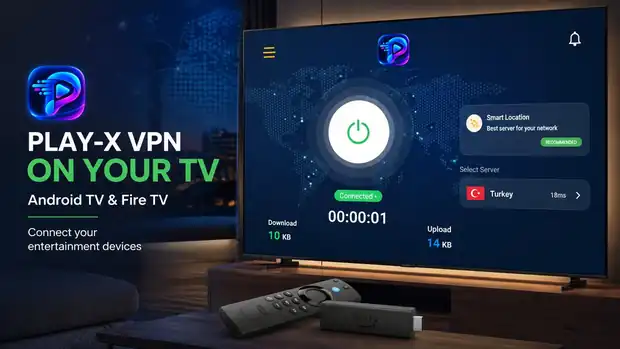
On a phone, a customer taps exactly where they want. On a Firestick they move a highlight box around with four arrow buttons and press OK. An interface that ignores that difference becomes unusable — small text at viewing distance, controls that cannot be reached, and menus that trap the user with no way back.
The TV build reorganises the same service around that reality. The connect control is large and central, the sidebar is reachable with one press left, and every focusable element shows clearly when it is selected. Your customer sitting six feet from the screen can operate it without leaning forward.
Everything behind the interface is the same. Same panel, same accounts, same servers. A customer can use your phone app and your TV app with one login.
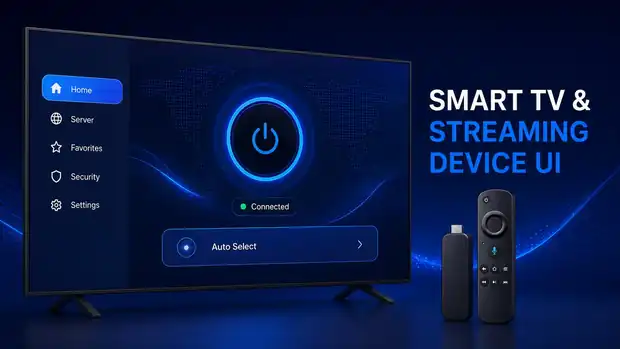
Large controls, readable type at viewing distance and clear focus highlighting for remote navigation.
App name, logo and colours match your phone app, so it reads as one product.
Accounts created in your panel work on TV and phone with the same credentials.
Auto Select for customers who do not care, plus the full location list for those who do.
One control, one obvious connected state, no configuration required from the customer.
Delivered as an installable build you can distribute to your customers, with guidance on how they install it on a Firestick.
Before buying, you can test our VPN admin panel and Android app to understand how the complete system works. This is a real deployment, branded as Play-X VPN — the same platform you would receive under your own name.
Log in and browse the dashboard, user list, server list and reseller screens.
Download the demo Android app, sign in with a demo account and see the connect flow, server list and account screen.
Download Android Demo AppSee what a finished VPN business website looks like once the panel, apps and plans are all in place.
Visit Demo WebsiteThe demo panel is shared and reset periodically, so please do not store anything you need there. Everything you see is standard in the platform — your own deployment would carry your brand, your servers and your customers.
Questions
If the answer you need is not here, ask us on live chat or send it through the contact form.
Yes. The $250 VPN admin panel package includes both the Android app and the Firestick / Android TV build.
It is the same service and the same accounts, built as a separate version laid out for a TV remote instead of a touchscreen.
It is delivered as an installable build that customers can sideload onto their device. We give you the instructions to pass on to your customers.
Yes — the account lives in your panel, so the same login works everywhere your apps run, subject to whatever device limit you set.
Have a question about any product? Send us a message on live chat and we will walk you through it.
Start with the VPN admin panel and branded Android and Firestick apps at $250 one-time, then add the website, billing automation and desktop apps as your business grows. Test the live demo first — we would rather you saw it working.