Add and edit servers
Register a new server, change its details, or take it out of rotation from the panel.
Part of the VPN admin panel
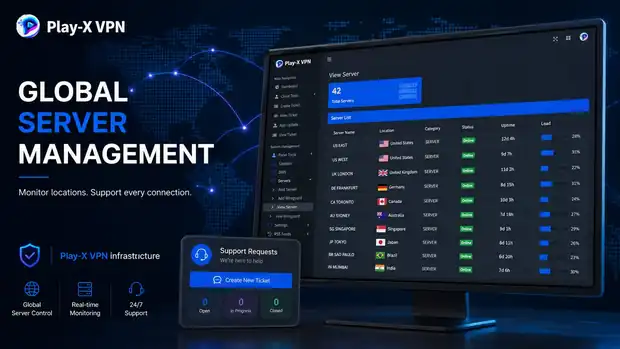
Every server you own has to be reachable, named, assigned to a country, and offered to the right customers. Doing that by editing files on each machine does not survive contact with a growing customer base. The panel turns it into a list you manage from a browser — and whatever you change there appears in your apps.
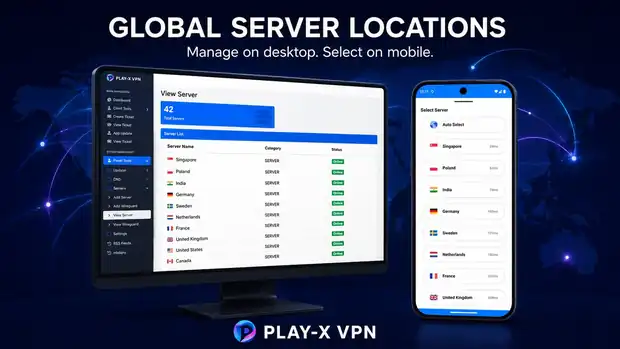
A server on its own is an IP address. Your customer does not want an IP address — they want “United Kingdom” or “Singapore” in a list, with a flag next to it.
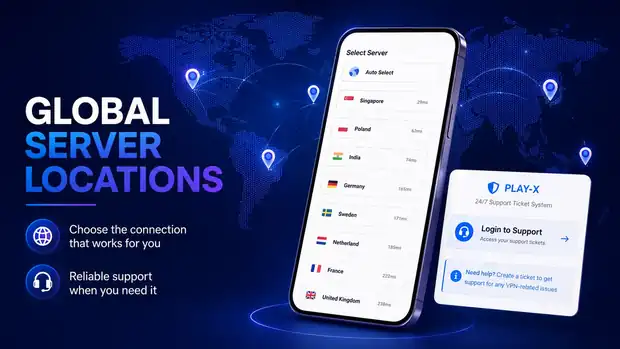
When you add a server in the panel you give it a name, a country and a category. That is what turns raw capacity into a location a customer can pick in your app. Add a server today and it is selectable in the app without rebuilding anything.
The same list is where you find problems. Status, uptime and load sit next to each server, so a node that has gone offline is obvious before your support inbox tells you.
Register a new server, change its details, or take it out of rotation from the panel.
Assign a country and label so the app shows a proper location list instead of addresses.
Organise servers into groups as the network grows past the point where one flat list is workable.
Online, offline or maintenance state shown against every server in the list.
See how long each node has been up and how heavily it is being used.
Changes to the server list are reflected in what your customers can select.
PanelVPN supplies the panel and the apps that manage your network — you supply the servers. That keeps your capacity, costs and provider relationships in your own hands. If you have not chosen a provider yet, ask us on live chat and we will talk through what tends to work at your scale.
Questions
If the answer you need is not here, ask us on live chat or send it through the contact form.
Yes. You add your servers in the panel, give each one a name and a country, and they become selectable locations in your apps.
No. Server hosting is separate and stays in your name. The panel is what manages them.
The panel is designed for a growing network with server grouping for larger setups. Tell us your expected scale and we will confirm what your deployment needs.
Yes. The locations you configure in the panel are what appears in the app for customers to choose from.
Have a question about any product? Send us a message on live chat and we will walk you through it.
Start with the VPN admin panel and branded Android and Firestick apps at $250 one-time, then add the website, billing automation and desktop apps as your business grows. Test the live demo first — we would rather you saw it working.