Live business dashboard
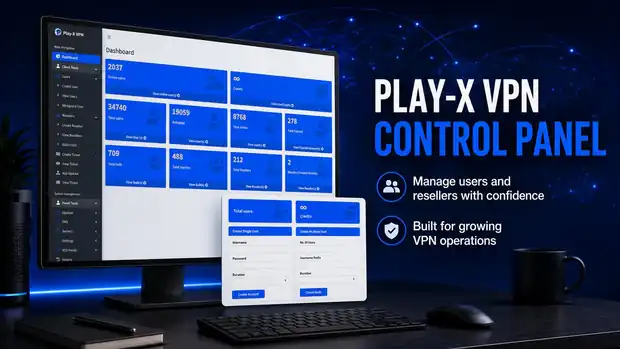
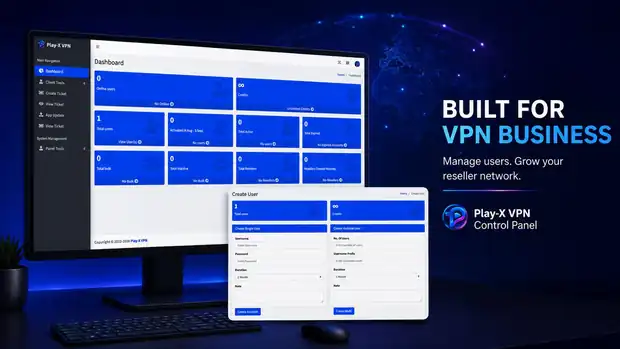
Online users right now, total users, active accounts, accounts expiring soon, expired accounts, inactive accounts and total resellers — all on the first screen after login.
Flagship package — $250 one-time
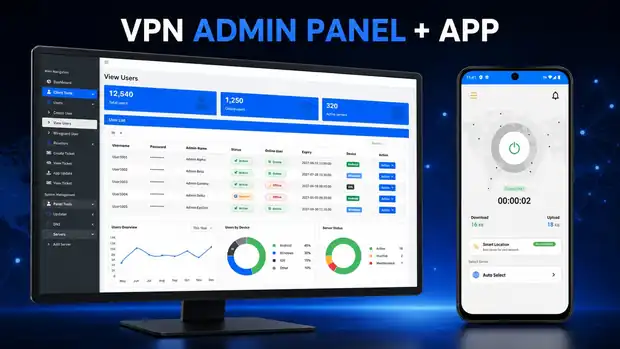
The VPN admin panel is the control room of your VPN business. It is the web dashboard where you create customer accounts, set how long each account lasts, add your VPN servers, and hand out reseller logins to the people who sell for you. Your branded Android and Firestick apps connect straight to it, so every account you create in the panel works in the app within seconds.
If you have never run a VPN service before, start here.
A VPN service has three moving parts: the servers that carry the traffic, the app your customer installs on their phone or TV, and something in the middle that decides who is allowed to connect and until when. That middle piece is the admin panel.
Without a panel you would be editing configuration files on every server by hand each time someone buys, renews or expires. With a panel, you open a web page, type a username and a duration, and press Create. The account is live immediately, on every server you have connected, and it stops working by itself on the expiry date you set.
It also means you can work with resellers. You give a reseller their own login and a credit balance; they create their own customers under your brand, and you keep the master view of everything.
Everything below is standard in the panel that ships with this package.
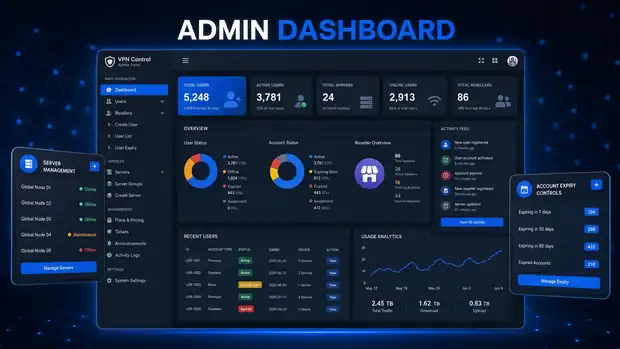
Online users right now, total users, active accounts, accounts expiring soon, expired accounts, inactive accounts and total resellers — all on the first screen after login.
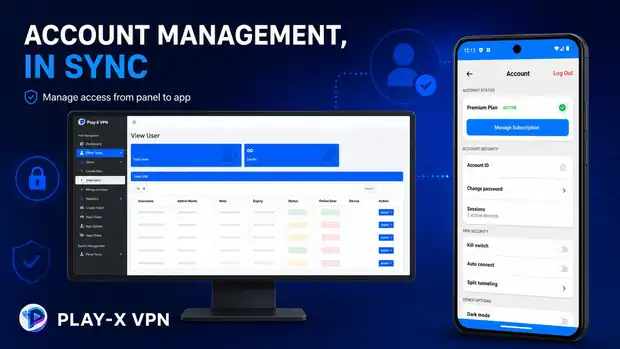
Create a single account or generate accounts in bulk with a username prefix. Edit, disable or delete any account. Every account carries a status, a device count, an expiry date and a free-text note.
Set a duration when you create an account — a month, six months, a year. The panel tracks the date and the account stops working on its own. Extend it any time by editing the account.
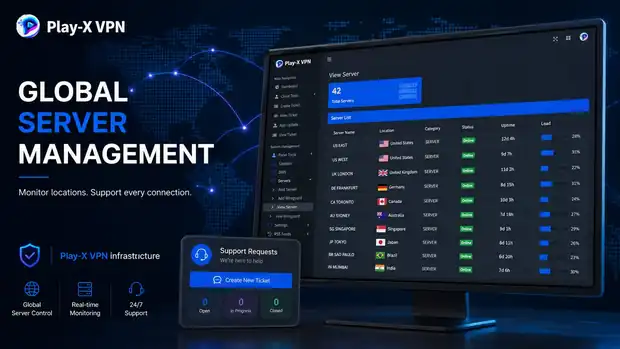
Add your VPN servers, name them, group them by location and see their status in the server list. Servers you add appear in the app for your customers to choose from.
Each server carries a country and label, so the app shows a proper location list with flags instead of raw IP addresses.
Create reseller accounts, give them credits, and let them create end users themselves. View every reseller, add credit to a balance, and see how many accounts each one has created.
Your customers log in to the app with the username and password you issue in the panel. The app checks with the panel on every login, so a suspended or expired account cannot connect.
Customers can open a support ticket from inside the app. You see open, in-progress and closed tickets in the panel, so support requests do not get lost in a chat inbox.
Push an app version notice from the panel so users on old builds are told to update, without waiting for a store review.
These are screenshots of the working system — not mock-ups. You can log into the same panel yourself on the demo page.
One payment. The panel and both apps are yours to run under your own brand.
Server hosting is not included in the $250 — you bring your own VPN servers, or ask us and we will point you in the right direction.
From payment to a working VPN service, step by step.
Your app name, your logo file, and the colours you want. If you do not have a logo yet, tell us and we will work with what you have.
Your admin panel is set up and your Android and Firestick apps are built with your branding in place.
You add your VPN servers in the panel — or we help you add the first ones — and they appear in the app location list.
You get your panel URL and admin login. Create a test user, install the app, log in and connect. That is the whole loop.
Create real accounts, set expiry dates, add resellers. Everything after this point is you running your business.
You want to sell VPN access under your own name and need the whole system on day one without building software.
You already resell someone else's VPN and want your own panel, your own brand and your own margin instead.
You have servers and customers already. A VPN product is an extra line on the invoice using capacity you own.
You are running on something unreliable or unmanaged and want a proper panel with reseller and expiry control.
Before buying, you can test our VPN admin panel and Android app to understand how the complete system works. This is a real deployment, branded as Play-X VPN — the same platform you would receive under your own name.
Log in and browse the dashboard, user list, server list and reseller screens.
Download the demo Android app, sign in with a demo account and see the connect flow, server list and account screen.
Download Android Demo AppSee what a finished VPN business website looks like once the panel, apps and plans are all in place.
Visit Demo WebsiteThe demo panel is shared and reset periodically, so please do not store anything you need there. Everything you see is standard in the platform — your own deployment would carry your brand, your servers and your customers.
The $250 package covers Android and Firestick. Desktop and iPhone apps are built separately at $499 each and connect to the same panel and the same accounts.
Questions
If the answer you need is not here, ask us on live chat or send it through the contact form.
The VPN admin panel, a branded Android VPN app and a branded Firestick / Android TV app, all connected together and carrying your name, logo and colours, plus setup assistance and support. It is a one-time payment, not a subscription.
Yes. The Android app is part of the $250 package. It is delivered as an installable APK built with your branding, already pointed at your admin panel.
Yes. The Firestick / Android TV build is included in the same $250 package. It is the same service laid out for a TV remote instead of a touchscreen.
Yes. You bring your own servers and add them to the panel — that keeps your service, your capacity and your costs under your control. If you do not have servers yet, contact us and we will point you toward suitable options.
Yes. The panel includes reseller management: create a reseller, give them credits, and they create and manage their own customers while you keep the master view.
Yes. There is a live demo panel and a downloadable demo Android app on the demo page. Log in, click through the screens and see the real system before deciding.
Have a question about any product? Send us a message on live chat and we will walk you through it.
Start with the VPN admin panel and branded Android and Firestick apps at $250 one-time, then add the website, billing automation and desktop apps as your business grows. Test the live demo first — we would rather you saw it working.