
Entrepreneurs
You want a business you own, in a market with recurring revenue and low delivery cost per customer.
The whole picture
Most people arrive knowing they want to sell VPN access and not knowing what that actually requires. This page lays out the whole thing — every piece, what it does, what it costs, and which pieces you can safely leave until later.
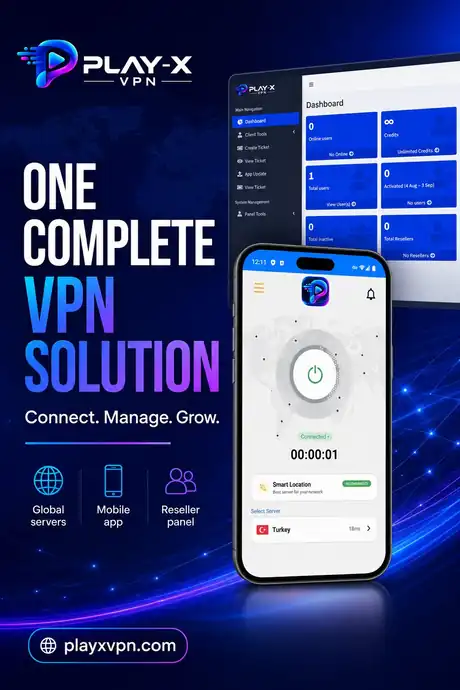
1. Servers. The machines that carry your customers' traffic. You rent these yourself, in your own name. This is your main running cost and the part you control completely.
2. The admin panel. The web dashboard that decides who can connect and until when. Create users, set expiry dates, add servers, manage resellers. Without this you are editing config files by hand.
3. The apps. What the customer installs. Android and Firestick come with the panel package; Windows, macOS and iOS are separate builds. All of them log in with accounts from your panel.
4. The website. Where people find you, understand the offer and decide to buy. Without one you are selling in direct messages, which does not scale.
5. Billing. Taking payment and delivering the account. Manual at first; automatic once WHMCS and the module are in place.
Every price below is a one-time payment.
| Component | Price | When you need it |
|---|---|---|
| VPN Admin Panel + Android & Firestick apps | $250 | Day one — this is the foundation |
| VPN Website | $99 | Day one if you want to be found and taken seriously |
| WHMCS VPN Module | $199 | When manual account creation starts costing you time |
| Windows VPN App | $499 | When desktop and business customers start asking |
| macOS VPN App | $499 | When you want Mac users, who tend to buy longer plans |
| iOS VPN App | $499 | When iPhone enquiries outweigh the build cost |
| IPTV Panel & Streaming App | Contact for pricing | If you also sell or want to sell IPTV |
You do not need everything at once, and we will not pretend you do.
Panel plus Android and Firestick apps. Add a couple of servers, create test accounts, sell to your first customers manually. This tells you whether there is demand before you spend more.
Once you know people want it, give them somewhere credible to land and a clear set of plans to choose from.
Already included in the panel. Hand out reseller logins and credits, and let other people sell for you.
When creating accounts by hand becomes the bottleneck, this removes the job entirely.
Windows, macOS or iOS at $499 each — driven by what your customers are actually asking for, not by a checklist.
You want a business you own, in a market with recurring revenue and low delivery cost per customer.
You already have infrastructure, billing and customers. A VPN product uses all three.
You have capacity and want a retail product on top of it instead of selling wholesale only.
You already sell subscriptions to the same audience. A VPN is a natural second product with the same billing.
Before buying, you can test our VPN admin panel and Android app to understand how the complete system works. This is a real deployment, branded as Play-X VPN — the same platform you would receive under your own name.
Log in and browse the dashboard, user list, server list and reseller screens.
Download the demo Android app, sign in with a demo account and see the connect flow, server list and account screen.
Download Android Demo AppSee what a finished VPN business website looks like once the panel, apps and plans are all in place.
Visit Demo WebsiteThe demo panel is shared and reset periodically, so please do not store anything you need there. Everything you see is standard in the platform — your own deployment would carry your brand, your servers and your customers.
Questions
If the answer you need is not here, ask us on live chat or send it through the contact form.
The $250 package — admin panel plus branded Android and Firestick apps — and your own VPN servers. Everything else can be added once you have customers.
You need to be comfortable using a web dashboard and following setup instructions. You do not need to write code. We help you through the initial setup.
Yes. Tell us on the contact form which components you want and we will put the whole project together as one piece of work.
Email support@onebesthost.com, message us on Telegram at @techydev, use the contact form, or start a live chat on any page of this site.
Have a question about any product? Send us a message on live chat and we will walk you through it.
Start with the VPN admin panel and branded Android and Firestick apps at $250 one-time, then add the website, billing automation and desktop apps as your business grows. Test the live demo first — we would rather you saw it working.