
VPN account creation after payment
A paid order becomes a working VPN account in your panel without anyone opening the panel.
Billing automation — $199 one-time
Without automation, every sale is a job for you: the payment lands, you open the panel, you type the username, you email the customer. The WHMCS VPN module removes that job. WHMCS takes the payment, tells your VPN panel what was bought, and the account is created and delivered on its own — day or night.
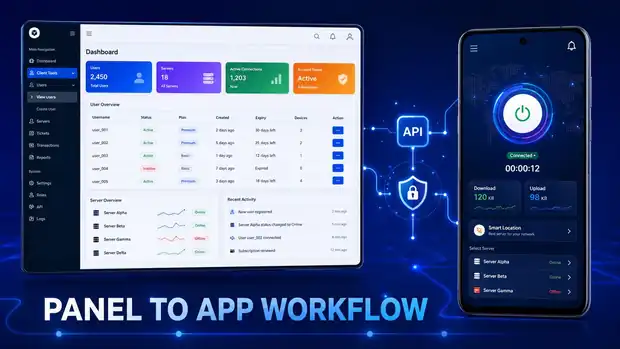
The same sequence every time, whether it is your first customer or your five hundredth.
WHMCS is billing software used widely by hosting and service companies. It handles the shop, the invoices, the payment gateways, the reminders and the customer's account area. What it cannot do on its own is create a VPN account — it has no idea your panel exists.
The module is the translator between them. It sits inside WHMCS as a product module, and when WHMCS says "this customer just paid for the 12-month plan", the module turns that into the right instruction for your VPN panel. When WHMCS says "this invoice was not paid", it turns that into the right instruction too.
A paid order becomes a working VPN account in your panel without anyone opening the panel.
When the customer pays their renewal invoice, the account's expiry date is extended automatically.
When a service ends or an invoice goes unpaid, the account state is updated so unpaid customers do not keep connecting.
Where supported, a reseller product in WHMCS can create the reseller account in your panel automatically.
Where supported, credits bought through WHMCS can be applied to a reseller's balance without a manual top-up.
The whole path from order to delivery runs as one flow, so orders placed overnight are fulfilled overnight.
The module lives inside WHMCS as a product module, so your existing products, gateways and invoices keep working as they are.
Create, renew, suspend and terminate — the states WHMCS already understands, mapped onto your VPN panel.
| What happens | Manual | With the WHMCS module |
|---|---|---|
| A customer pays at 3am | Waits until you wake up | Account is live in seconds |
| Creating the account | You open the panel and type it in | Created automatically |
| Sending login details | You write an email | Delivered through WHMCS |
| Renewal | You find the account and extend it | Extended on payment |
| Unpaid invoice | You remember to check | Handled by the service state |
| Your time per sale | Several minutes | None |
We install and configure the module with you and test a real order from end to end before handing it over.
If you are selling a handful of accounts a month, creating them by hand is fine. The module earns its place when order volume, renewals or overnight sales start eating your day. Ask us on live chat and we will tell you honestly which side of that line you are on.
Questions
If the answer you need is not here, ask us on live chat or send it through the contact form.
The customer buys a plan on your website. WHMCS takes the payment and tells the module what was bought. The module communicates with your VPN panel and the account is created. The customer receives their access details. When they renew, the same path extends the account automatically.
The WHMCS VPN module is $199 as a one-time payment. It is separate from the $99 VPN website and from the $250 panel and apps package.
Yes. The module is an addition to a working WHMCS installation with its own licence. If you do not use WHMCS, you can still sell manually through the VPN website and create accounts in the panel yourself.
The module is installed as a product module inside WHMCS, so your existing gateways, invoices and customer area continue to work as they do now. We configure it with you and test a live order before handover.
Have a question about any product? Send us a message on live chat and we will walk you through it.
Start with the VPN admin panel and branded Android and Firestick apps at $250 one-time, then add the website, billing automation and desktop apps as your business grows. Test the live demo first — we would rather you saw it working.